Information
- Scope: How to use Advanced Filtering in the Translation Portal
- Intended Audience: Translation Editors
- Report errors to: CBG Support Center
This guide explains how to use Advanced Filtering in the Translation Portal. It covers basic filtering, combining filters and groups, and using negation to refine search results.
Table of Contents
- Introduction
- Basic filtering
- Combining two filters
- Combining filters and groups
- Combining groups
- Negation
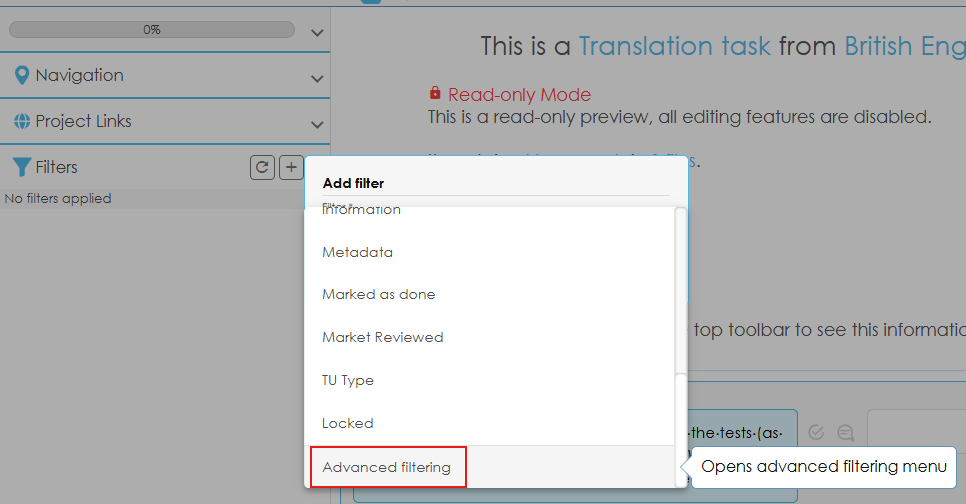
The Advanced Filtering option is located at the bottom of the Filters menu.
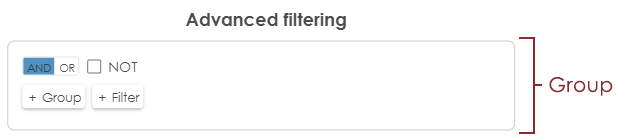
Advanced Filtering uses groups, which can be thought of as parentheses in a logical expression.
When you open the Advanced Filtering window, an empty group is displayed by default. This can be thought of as ().
To add a filter to a group:
- Click + Filter (1).
- Select the filter you want to apply (2).
- Specify the filter value (3).
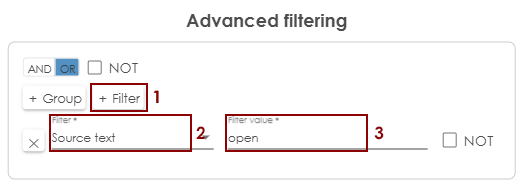
For example, the filter shown above can be expressed as follows:
(sourceText contains "open")
You can combine two or more filters within the same group by adding multiple filters and selecting a logical operator (AND or OR) for the group.
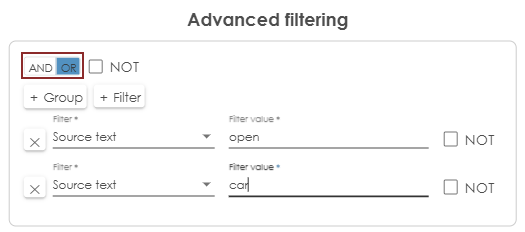
For example, the filter shown above can be expressed as follows:
(sourceText contains "open" OR sourceText contains "car")
 The AND/OR setting at the group level determines how all filters and nested groups within that group are combined.
Groups can contain individual filters, and groups can also be nested within other groups. Nested groups allow you to combine conditions in more complex ways.
To add a nested group:
- Click + Group.
- Add the required filters to the new group.
- Select the logical operator (AND or OR) for the nested group.
Example 1
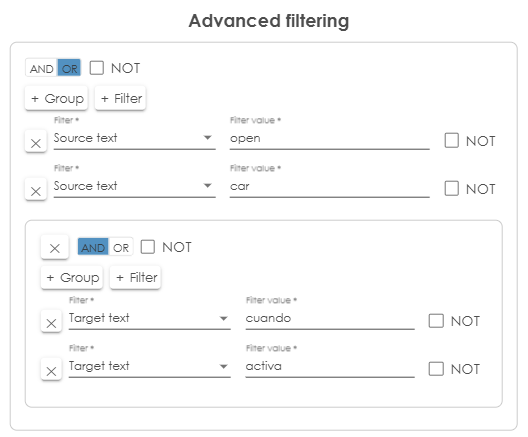
The filter shown above can be expressed as follows:
(sourceText contains "open" OR sourceText contains "car" OR (targetText contains "cuando" AND targetText contains "activa"))
Example 2
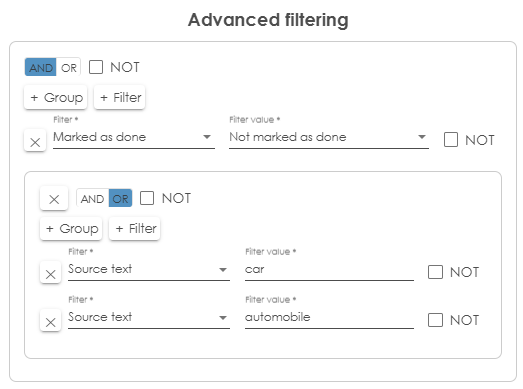
The filter shown above can be expressed as follows:
(markedAsDone = notMarkedAsDone AND (sourceText contains "car" OR sourceText contains "automobile"))
You can combine multiple groups using the same logical operators (AND and OR) used to combine individual filters.
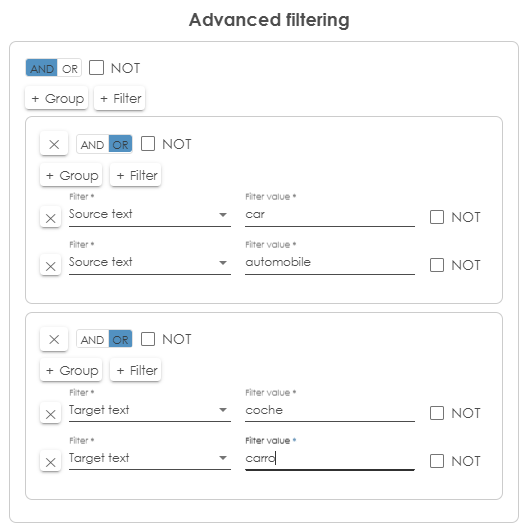
For example, the filter shown above can be expressed as follows:
((sourceText contains "car" OR sourceText contains "automobile) AND (targetText contains "coche" OR targetText contains "carro"))
You can negate an individual filter by selecting the NOT checkbox next to that filter. Negation reverses the condition, returning results that do not meet it.
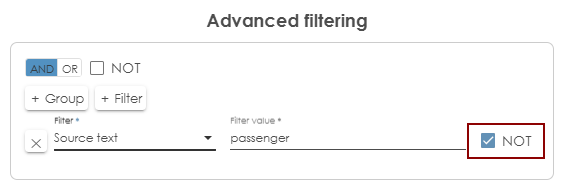
For example, the filter shown above can be expressed as follows:
(NOT sourceText contains "passenger")
You can also negate an entire group by selecting the NOT checkbox for that group. This reverses the result of the combined conditions within the group.
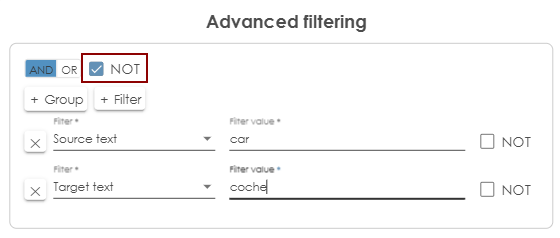
For example, the filter shown above can be expressed as follows:
NOT (sourceText contains "car" AND sourceText contains "coche")